シェア,  パソコン

【パソコン】クリップボードの内容を確認する方法

Windows のクリップボード機能はウィンドウを持たないので、そのままでは中にどんなデータがあるのかを見ることができませんが、「Windows ロゴ」キーを押しながら「V」キーを押すことで、クリップボードに保存されているデータを確認することができます。
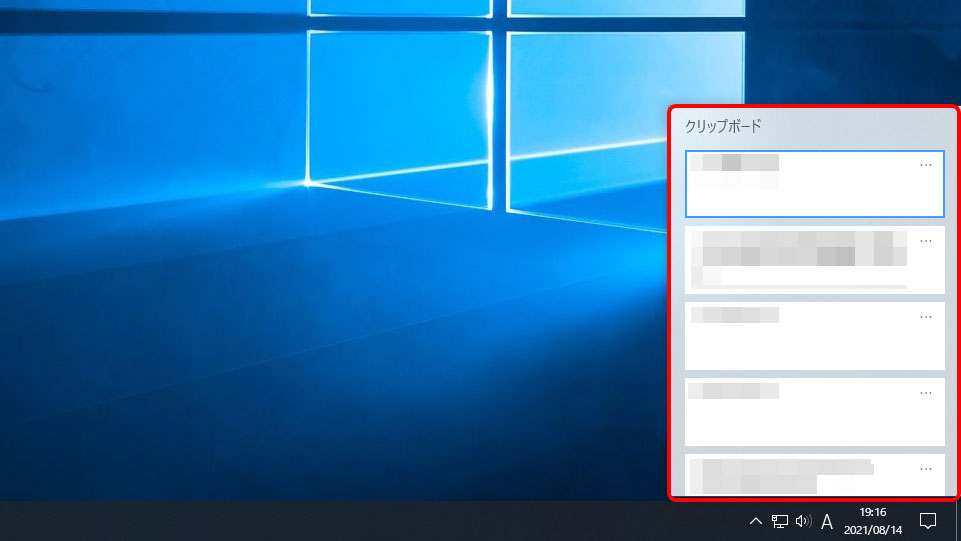
ちなみに、クリップボードには最大17のデータが保存でき、その中のデータをクリックして選択することで、直前よりのデータを再利用して貼り付けることができます。

この技を知っていると何かと便利ですので、ぜひ、覚えておいてください。

END

This website stores cookies on your computer. These cookies are used to provide a more personalized experience and to track your whereabouts around our website in compliance with the European General Data Protection Regulation. If you decide to to opt-out of any future tracking, a cookie will be setup in your browser to remember this choice for one year.

Accept or Deny